
CozyDuck Idle
体験版あり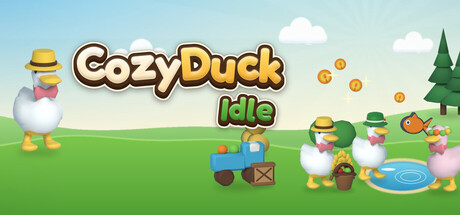


About the game
画面上の小さなウィンドウで暮らす、居心地のよい放置系農場。あなたが仕事やゲームをしている間も、働き者のアヒルたちが作物を収穫し、運び、販売する。農場を大きくし、アヒル池を開放し、家宝の種を獲得して、アヒルたちを帽子やリボンで着飾ろう。
Steamの原文説明
Your farm, in the corner of your screen
CozyDuck Idle runs in a small borderless window that stays on top of everything else. Put it next to your browser, your spreadsheet or your game, and let the ducks do the work. Drag it anywhere, peek over now and then, and spend what they've earned.
The ducks run the farm
Every coin gets there on duck feet. Farmer ducks harvest into their baskets, the truck hauls boxes to the barn, and the shop duck sells them. You never have to click a single crop - you just decide what to grow next.
Grow and upgrade your fields
- 9 plots, 6 crops - from wheat and carrots all the way to watermelons.
- Upgrade your plots - every level makes each harvest worth more.
- Weather - rain boosts your harvests, snow slows them down.
Go fishing at the Duck Pond
Duck anglers fish from the dock, the catch goes on the rack and onto the grill, and a porter carries it to market. Now and then a ripple appears on the pond - click it in time to land a Golden Fish or a Moon Fish and fill your Fishdex.
Heirloom Seeds and the skill tree
When progress slows down, start fresh with Heirloom Seeds that make every coin worth more. Spend them on new crops and a 17-node skill tree - spending seeds never lowers your multiplier.
Dress up your ducks
17 achievements unlock hats, bows, scarves, glasses and new duck colors. Mix and match your favorite look.
Made to stay open
- Offline earnings - your ducks keep working while you're away, for up to 8 hours.
- Quests and tips - a gentle guide for your first hours, no pressure.
- 7 window sizes, from a tiny 300x300 to 1920x1080
- Always on Top, or borderless fullscreen
- FPS limit and Power Saving mode - drops to 10 FPS in the background to keep your CPU free
- Reduce Motion option
- English, Türkçe, 简体中文
体験版と発売について
前回の確認時にSteamの体験版が見つかりました。ダウンロードする前に、お住まいの地域で引き続き利用できるかSteamで確認してください。
情報・画像:Steam · 最終確認 UTC