
Tidy Slot Cars
体験版あり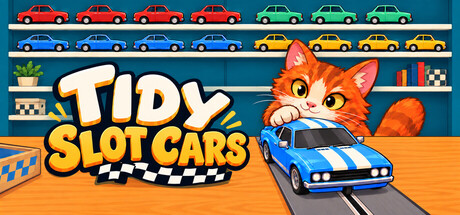


About the game
スロットカー・クラブを片づけて、お気に入りの車をコースで走らせましょう! 心安らぐ一人称視点の整理ゲームで、1,497台の車をモデルと色ごとに分類。片づけながら車をアンロックし、オリジナルのコースを作り、ローカル分割画面で飼い猫や友達とレースを楽しみましょう。
Steamの原文説明
Bring everything back into order in Tidy Slot Cars, a cozy first-person organising game where completing your collection gives you more cars to race.
Tidy the shelves and unlock the cars
Pick up scattered cars and match their model and colour to the sample cars beside each display. Restore 1,497 cars across 30 designs and 130 shelves, watching the clutter become neat rows of colourful favourites.
Choose your own approach: collect matching cars, concentrate on one display, or work your way through the shop one section at a time. There’s no time limit on tidying, so settle into your rhythm and enjoy each completed shelf.
Every completed colour shelf unlocks its matching car and paint colour for slot car racing. As the shop fills up, so does your racing collection!
Completing shelves also unlocks useful upgrades, letting you carry more cars, move faster, and get some sorting help from your cat.
Build your own circuits!
Start with a ready made circuit or create your own, piece by piece. Combine straights, sweeping bends, climbs, raised crossings and vertical loops to build a track you’ll want to race again.
Name and save your favourite layouts, then return whenever you fancy another lap.
Race your cat or a friend
Take your unlocked cars onto the track and find the balance between speed and grip. Ease off for corners and keep enough momentum to make it through the loops!
Challenge your cat across three difficulty settings, or enjoy two player local split-screen racing with a friend. Choose your cars, set the lap count, and see who reaches the finish first.
A little company while you tidy
Your cat is more than a racing rival. Take a break for a pet, choose a name and coat, or ask for help finding a particular car and its matching shelves.
体験版と発売について
前回の確認時にSteamの体験版が見つかりました。ダウンロードする前に、お住まいの地域で引き続き利用できるかSteamで確認してください。
情報・画像:Steam · 最終確認 UTC