
Fantasy Auction House
近日発売



About the game
10ゴールドから始め、装備や素材、ペットや乗り物など1100種類のアイテムを取引しましょう。掘り出し物を見つけ、価格を設定し、売上を回収してください。このシングルプレイの取引ゲームでは、町の商人と商談し、品物を補充し、商売の成長に合わせてバッグを拡張できます。
Steamの原文説明
Start with 10 gold
Your father hands you the 10 gold coins he has saved. With that small stake, you arrive in a border town to try your hand at trading. Buy a few bargains, sell them on, put some money aside and stock up again.
Fantasy Auction House is a single-player trading game. The town's merchants keep listing and buying goods, so you can browse the auctions whenever you like and see what's worth picking up.
Early on, a bad purchase can leave you short of money. Try a few small trades first and see what prices attract buyers. Once you know the goods better, decide whether to buy more. It's your little business: you choose how to spend the earnings and what to buy next.
1100 items. Find your corner of the market
Weapons, armor, materials, consumables, gems, recipes, pets, mounts… The auction house has 1100 items across 11 categories. Start with a few goods you know, learn what they usually sell for and gradually branch out.
You don't need to learn every item at once. Focus on weapons, or compare a few materials until you get a feel for their prices. When something unfamiliar catches your eye, open its details and check the name, quality and level before deciding whether to buy.
Browse the auctions and look for a good buy
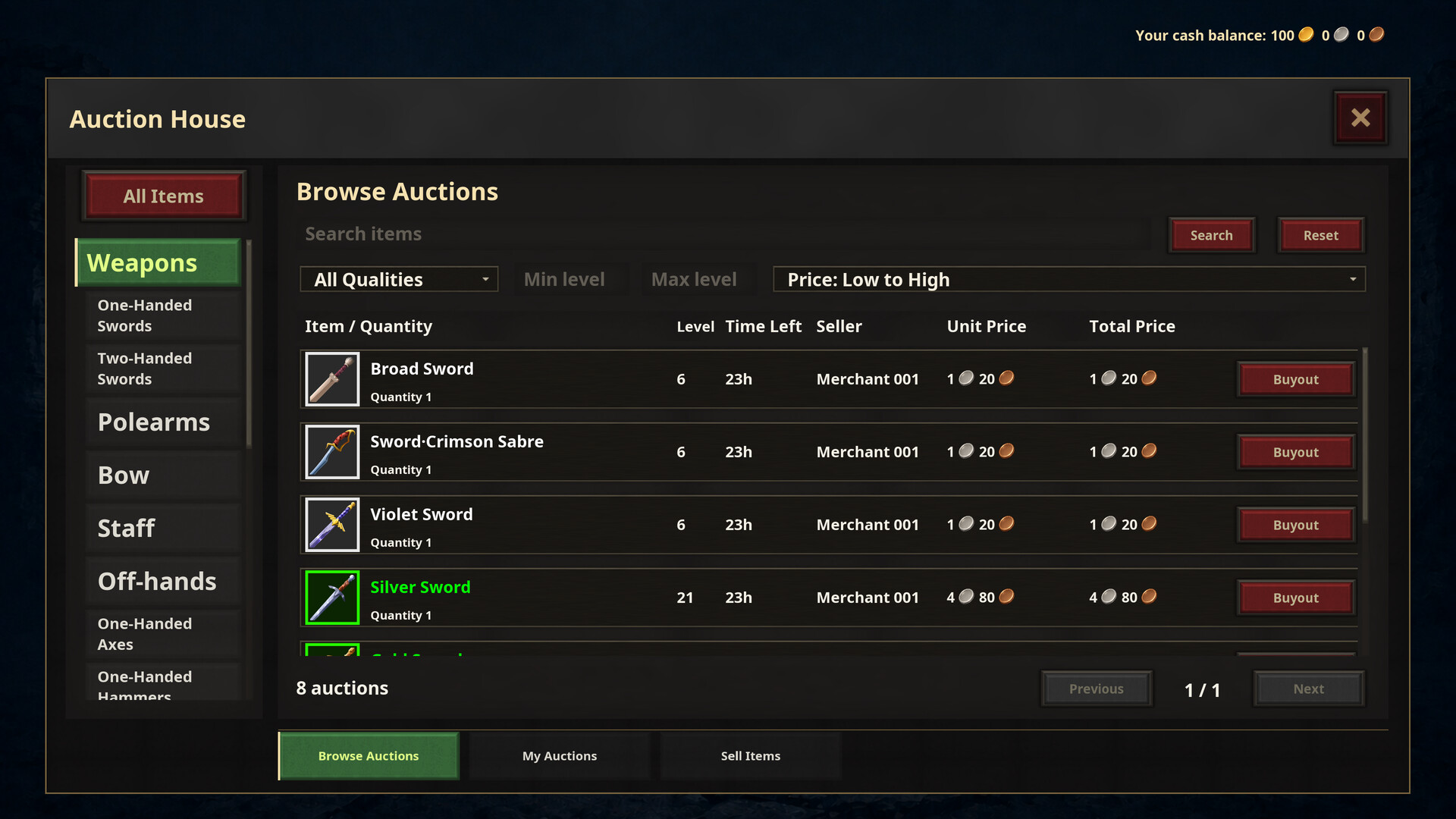
Search by name, filter by category, quality and level, or sort by price. Listings sold in stacks show both the unit price and the total, making them easier to compare.
One listing might contain a single item while another holds a whole stack. Comparing only their totals can be misleading. Check the unit prices to see what each item really costs. And before buying a bargain, think about what you could reasonably charge when you sell it on.
Set your prices with an eye on the market
Buy an item you like, put it in your bags and decide how many to sell and what to charge. Before listing, check the lowest current price for the same item. A competitive price makes a sale more likely; charge much more than other sellers and you may have a wait ahead.
If you want your money back sooner, use the lowest current price for the same item as a reference. If you want a bigger margin, be prepared for a longer wait. You choose the price, but listing an item doesn't guarantee a sale, even if it's high quality.
Keep track of your stock and your gold
Some goods earn less per sale but let you recover your money sooner. Others promise a healthy margin yet sit unsold. Your gold is limited, so it's up to you what to buy and how much stock to hold.
When your bags are full but your purse is nearly empty, it may be time to sell some stock first. Keep a little gold available so you can still buy a worthwhile listing. Expand your bags when you need the room, rather than buying goods just to fill every empty slot.
Check your listings and collect your earnings
When an item sells, collect the proceeds from your mailbox. Unsold goods are returned when the listing expires. You can also cancel early and set a new price. Check your own listings under My Auctions.
Selling, taking goods back and changing prices are all part of running the shop. Check your listings now and then, collect any proceeds and decide what to keep selling or hold back. If a deal falls through, try a different price and gradually find an approach that suits you.
Spend your earnings on fresh stock or expand your bags to make room for more goods. Keep trading, one deal at a time, and see how much you can make of those first 10 gold coins.
体験版と発売について
現在の確認データでは体験版の存在を確認できていません。過去にも体験版がなかったという意味ではありません。最新の提供状況はSteamのゲームページで確認してください。
情報・画像:Steam · 最終確認 UTC