
Artist's Toolkit!
Есть демоверсия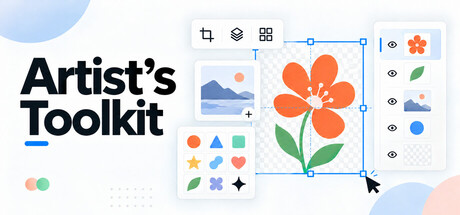


About the game
Ваш повседневный набор инструментов для работы с графическими ресурсами. Удаляйте фон, извлекайте кадры, разделяйте прозрачные изображения на слои и размещайте ресурсы в свободной компоновке или по сетке. Благодаря инструментам для видео и пиксельной графики, а также экспорту в PNG, ZIP и PSD, Artist's Toolkit! позволяет тратить меньше времени на подготовку ресурсов и больше — на творчество.
Оригинальное описание в Steam
More time creating. Less time preparing assets.
Building a game UI, organizing transparent artwork or collecting animation reference often means repeating the same tasks: removing backgrounds, separating elements, moving layers, aligning images and exporting files.
Artist's Toolkits brings these everyday asset tasks into one place for game artists, UI designers and independent creators. Work with background removal, frame extraction, video and pixel tools, plus a shared workspace for slicing and arranging images.
Separate your artwork from its background
Use standard background removal to prepare transparent assets for your next layout. Advanced multi-background removal also accepts 2–3 images of the same subject against different backgrounds. The images must share the same dimensions and subject alignment, with distinct solid or nearly solid background colors.
Turn a sheet of elements into manageable layers
Split separate elements in a transparent PNG into individual layers. Inspect and select them, rename them, toggle visibility, delete unwanted pieces, or merge and resplit elements as you organize your artwork.
Splitting works from separable regions in the image. It does not reconstruct hidden artwork or recover the original painting layers from a flattened picture.
Slice and arrange in one canvas
Bring images from multiple sources into a shared editor. Move elements freely or organize them in a grid. Adjust the canvas, crop area and layer positions, use nine-position alignment, and refine your layout with undo and redo.
Organize buttons and icons, combine decorative elements, or assemble an asset preview sheet around the needs of your current project.
Keep frame, video and pixel tasks close at hand
Dedicated frame extraction, video and pixel tool sections keep different asset tasks within the same toolkit. Extract video images for motion and composition reference, then organize the material you need.
Export for the next step
PNG: Export transparent assets, individual layers or the complete canvas.
ZIP: Package layer assets for organization and handoff.
PSD: Continue editing organized layers in software that supports PSD files.
Built for everyday art preparation
For creators who regularly work with transparent images, UI elements, icons, video reference and pixel assets—and small teams that want their asset preparation tools in one place.
Информация о демоверсии и выходе игры
При последней проверке найдена демоверсия в Steam. Перед загрузкой убедитесь на странице Steam, что она по-прежнему доступна в вашем регионе.
Демоверсия Steam, тестирование и ранний доступ: в чём разница?
Информация и изображения: Steam · Последняя проверка UTC