
Virtual Plant
Lançado




About the game
Em uma era em que a IA está cada vez melhor em fingir que entende você, deixe uma pequena planta digital que nunca mente dizer aquilo que você realmente quer ouvir. Observe-a balançar suavemente com a brisa, personalize seus balões de fala ou importe listas de vocabulário, letras de músicas e muito mais.
Descrição original no Steam
About This Game
It sits quietly in the corner of your desktop, occasionally popping up with a message.
Sometimes, it's a motivational quote:
"You've got this today."
"You don't have to become amazing all at once. Just moving a little forward today is enough."
"Not seeing results now doesn't mean your efforts aren't happening."
Sometimes, it's a reminder:
"3:00 PM, submit assignment."
"8:00 PM, review vocabulary."
"Get the package when you get home tonight."
"Stand up and stretch, drink some water."
You can write all of this yourself and set the times.
So it can be your desktop motivational buddy, or a handy reminder assistant.
Of course, you can also use it to — memorize vocabulary.
Put in SAT, GRE, IELTS, or TOEFL words, or any words you want to remember:
persist — to keep going
opportunity — a chance
improve — to get better
achieve — to reach a goal
When you're tired of studying, look up and memorize one.
If you have a lot of words or sentences, you can directly import a TXT file.
This is "Digital Green Plant." In the age of AI, it won't offer hollow pleasantries. Instead, it will accompany you with the voice inside your heart through your toughest times.
When you're tired, it gives you a word of encouragement.
When you're afraid of forgetting things, it gives you a nudge.
When you want to study, it memorizes a few words with you.
How to Use
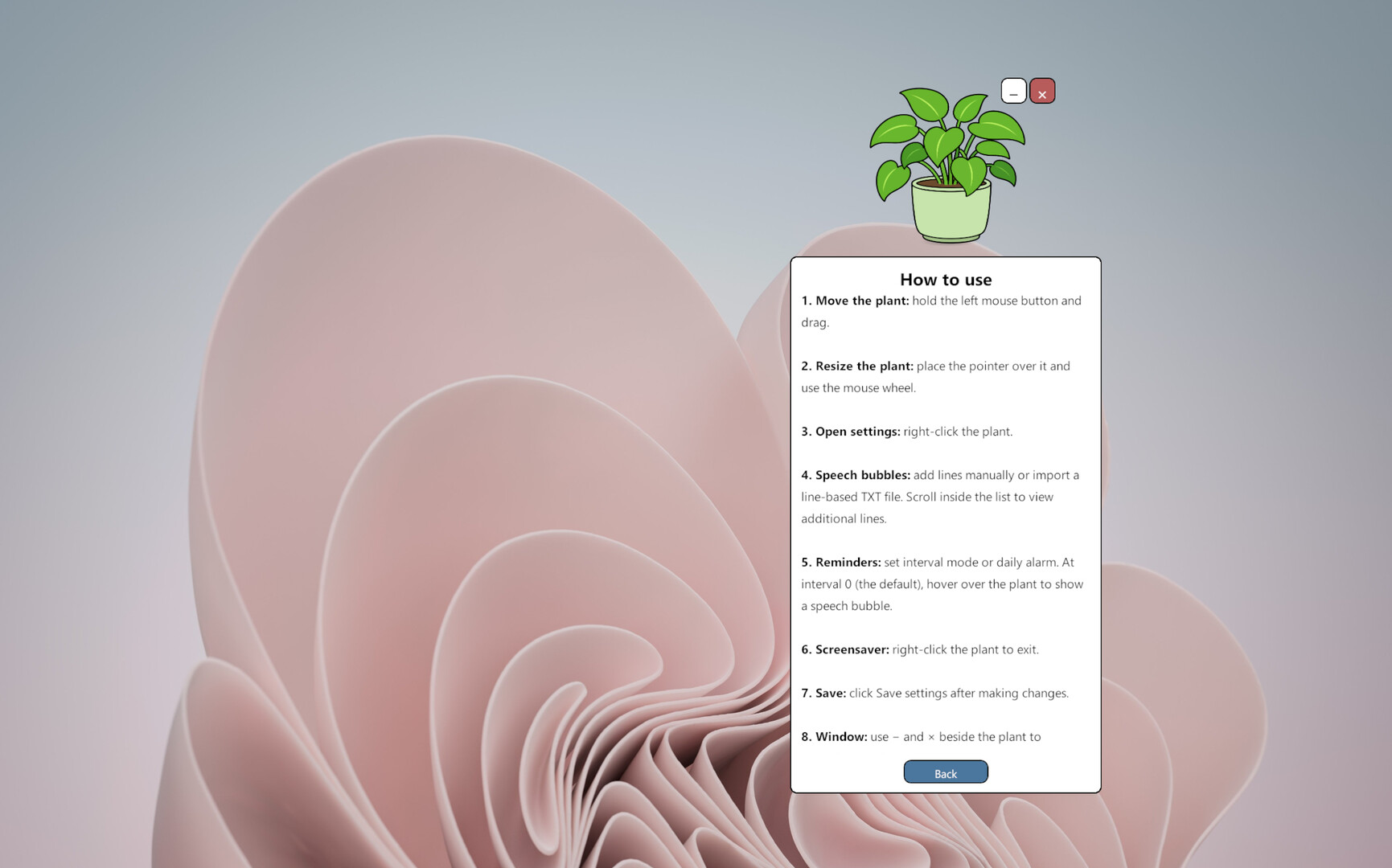
Hold the left mouse button and drag the plant to move it.
Right-click the plant to open the settings panel.
Use the settings panel to edit or import speech bubble messages, adjust reminder intervals, set a daily alarm, change the language, and configure screensaver mode.
Click “Save Settings” to apply your changes.
Use the “—” and “×” buttons beside the plant to minimize or exit the application.
Virtual Plant does not demand constant attention or ask you to complete complicated daily tasks. It simply stays alive in a corner of your screen and speaks the words you have chosen when the time is right.
It does not pretend to have feelings, and it does not pretend to understand you better than you understand yourself.
You choose the words. It quietly says them back to you.
Informações sobre a demo e o lançamento
Os dados da verificação atual não confirmam nenhuma demo. Isso não significa que o jogo nunca teve uma; consulte a página dele no Steam para verificar a disponibilidade atual.
Demo do Steam, teste de jogo e acesso antecipado: qual é a diferença?
Informações e imagens: Steam · Última verificação UTC