
Virtual Plant
Wydana



About the game
W czasach, gdy sztuczna inteligencja coraz lepiej udaje, że cię rozumie, pozwól małej cyfrowej roślince, która nigdy nie kłamie, powiedzieć to, co naprawdę chcesz usłyszeć. Obserwuj, jak delikatnie kołysze się na wietrze, dostosowuj jej dymki dialogowe albo importuj listy słówek, teksty piosenek i nie tylko.
Oryginalny opis ze Steam
About This Game
It sits quietly in the corner of your desktop, occasionally popping up with a message.
Sometimes, it's a motivational quote:
"You've got this today."
"You don't have to become amazing all at once. Just moving a little forward today is enough."
"Not seeing results now doesn't mean your efforts aren't happening."
Sometimes, it's a reminder:
"3:00 PM, submit assignment."
"8:00 PM, review vocabulary."
"Get the package when you get home tonight."
"Stand up and stretch, drink some water."
You can write all of this yourself and set the times.
So it can be your desktop motivational buddy, or a handy reminder assistant.
Of course, you can also use it to — memorize vocabulary.
Put in SAT, GRE, IELTS, or TOEFL words, or any words you want to remember:
persist — to keep going
opportunity — a chance
improve — to get better
achieve — to reach a goal
When you're tired of studying, look up and memorize one.
If you have a lot of words or sentences, you can directly import a TXT file.
This is "Digital Green Plant." In the age of AI, it won't offer hollow pleasantries. Instead, it will accompany you with the voice inside your heart through your toughest times.
When you're tired, it gives you a word of encouragement.
When you're afraid of forgetting things, it gives you a nudge.
When you want to study, it memorizes a few words with you.
How to Use
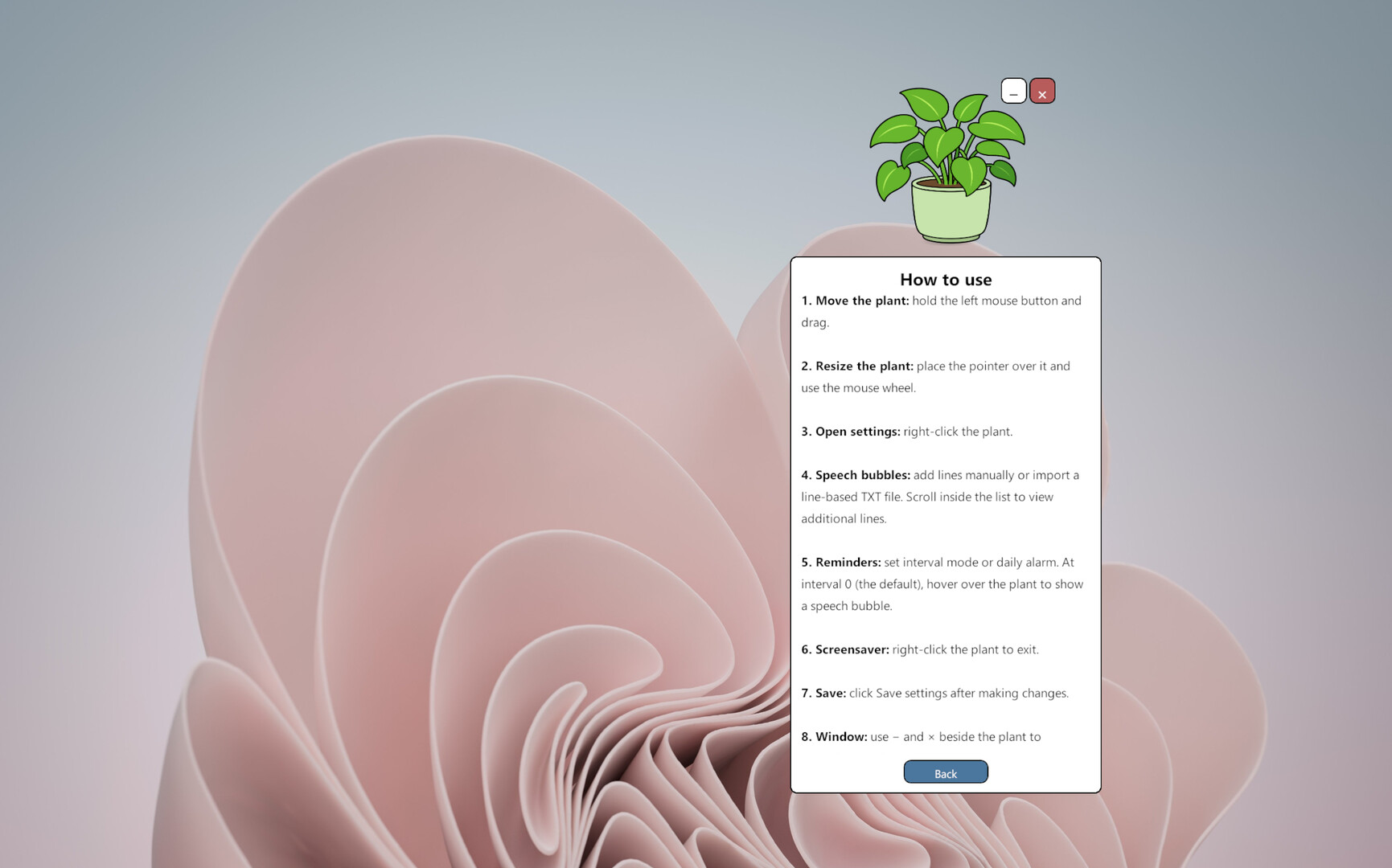
Hold the left mouse button and drag the plant to move it.
Right-click the plant to open the settings panel.
Use the settings panel to edit or import speech bubble messages, adjust reminder intervals, set a daily alarm, change the language, and configure screensaver mode.
Click “Save Settings” to apply your changes.
Use the “—” and “×” buttons beside the plant to minimize or exit the application.
Virtual Plant does not demand constant attention or ask you to complete complicated daily tasks. It simply stays alive in a corner of your screen and speaks the words you have chosen when the time is right.
It does not pretend to have feelings, and it does not pretend to understand you better than you understand yourself.
You choose the words. It quietly says them back to you.
Informacje o wersji demo i premierze
Aktualne dane kontroli nie potwierdzają dostępności wersji demo. Nie oznacza to, że gra nigdy jej nie miała; sprawdź bieżącą dostępność na stronie gry na Steam.
Informacje i grafiki: Steam · Ostatnia kontrola UTC