
Virtual Plant
発売済み




About the game
AIがますます巧みにあなたを理解しているふりをする時代に、嘘をつかない電子植物に、本当に聞きたい言葉を話してもらいましょう。吹き出しを自由に作成したり、単語リストや歌詞などのTXTを取り込んだりできます。風に揺れる小さな植物が、仕事や勉強、日々の暮らしに静かに寄り添います。
Steamの原文説明
About This Game
It sits quietly in the corner of your desktop, occasionally popping up with a message.
Sometimes, it's a motivational quote:
"You've got this today."
"You don't have to become amazing all at once. Just moving a little forward today is enough."
"Not seeing results now doesn't mean your efforts aren't happening."
Sometimes, it's a reminder:
"3:00 PM, submit assignment."
"8:00 PM, review vocabulary."
"Get the package when you get home tonight."
"Stand up and stretch, drink some water."
You can write all of this yourself and set the times.
So it can be your desktop motivational buddy, or a handy reminder assistant.
Of course, you can also use it to — memorize vocabulary.
Put in SAT, GRE, IELTS, or TOEFL words, or any words you want to remember:
persist — to keep going
opportunity — a chance
improve — to get better
achieve — to reach a goal
When you're tired of studying, look up and memorize one.
If you have a lot of words or sentences, you can directly import a TXT file.
This is "Digital Green Plant." In the age of AI, it won't offer hollow pleasantries. Instead, it will accompany you with the voice inside your heart through your toughest times.
When you're tired, it gives you a word of encouragement.
When you're afraid of forgetting things, it gives you a nudge.
When you want to study, it memorizes a few words with you.
How to Use
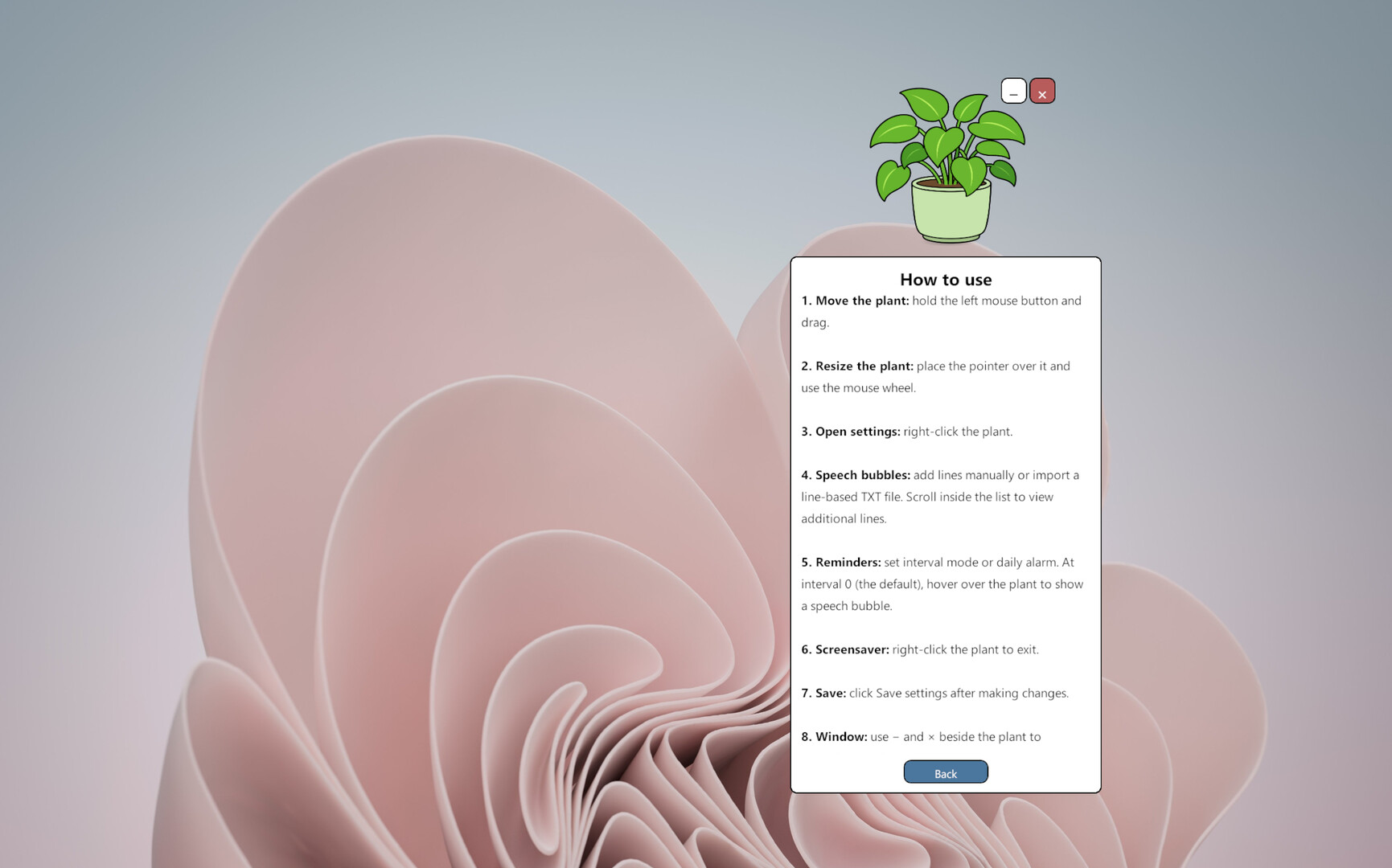
Hold the left mouse button and drag the plant to move it.
Right-click the plant to open the settings panel.
Use the settings panel to edit or import speech bubble messages, adjust reminder intervals, set a daily alarm, change the language, and configure screensaver mode.
Click “Save Settings” to apply your changes.
Use the “—” and “×” buttons beside the plant to minimize or exit the application.
Virtual Plant does not demand constant attention or ask you to complete complicated daily tasks. It simply stays alive in a corner of your screen and speaks the words you have chosen when the time is right.
It does not pretend to have feelings, and it does not pretend to understand you better than you understand yourself.
You choose the words. It quietly says them back to you.
体験版と発売について
現在の確認データでは体験版の存在を確認できていません。過去にも体験版がなかったという意味ではありません。最新の提供状況はSteamのゲームページで確認してください。
情報・画像:Steam · 最終確認 UTC