
Blossoms of Light
即将推出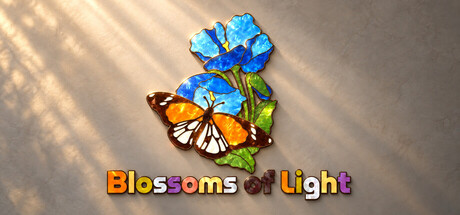


About the game
在5个章节的60道花卉谜题中放松身心。移动、旋转并连接彩色拼块,呈现出彩绘玻璃风格、带有柔和珠光质感的花朵。伴随舒缓的音乐,按自己的节奏游玩,还可使用可选提示,进度会自动保存。
Steam 原始说明
Let flowers bloom, one piece at a time
Blossoms of Light is a relaxing floral jigsaw puzzle game. Move, rotate, and connect colorful pieces to reveal flower artworks with a stained-glass look and soft pearlescent textures. Explore 60 puzzles across 5 chapters, with 12 puzzles in each chapter, and watch your finished creations come to life in gentle light.Start with the tray and find a home for every piece
Pick up pieces from the tray or the table, move and rotate them, study their outlines and colors, then join the parts that fit together. Neighboring pieces gradually combine into larger shapes, turning scattered clues into a clear picture.Enjoy every puzzle at your own pace
There is no rush. Focus on shapes and colors, use a hint when you need one, or turn hints off and quietly finish the entire artwork. You can also view a thumbnail of the completed image or display its silhouette outline whenever you need a reference.Every completion is a little flower exhibition
Gentle music and delicate lighting give each floral puzzle its own satisfying sense of occasion. Put every scattered piece in place and keep a quiet, rewarding moment for yourself.Game Features
- Floral artworks with a stained-glass look and soft pearlescent textures
- 5 chapters and 60 puzzles, with a gradually increasing challenge
- Move, rotate, and connect pieces to gradually assemble the full image
- An organized, scrollable piece tray that keeps the table clear
- A zoomable and pannable puzzle table, plus a completed-image thumbnail and silhouette outline for reference
- Optional hints that offer a little help whenever you get stuck
- Automatically saved puzzle progress, so you can leave and return whenever you like
- Gentle music, responsive lighting, and a celebratory completion display
Controls
- Pick up and place: Left-click a piece to pick it up, move the mouse, then click again to place it. Bring matching pieces close to their correct positions and they will automatically join into a larger group.
- Rotate pieces: Hover over a piece and right-click to rotate it by 90 degrees. You can also right-click at any time while holding a piece.
- Use the tray: Scroll the mouse wheel to browse the pieces in the tray. When returning a piece, you can insert it at a chosen position, reorder it, or swap it with another piece.
- Select multiple pieces: Hold the left mouse button and drag across an empty area of the table to draw a selection box, then move or rotate the selected pieces together.
- Adjust the table view: Scroll the mouse wheel over the table to zoom. Drag with the middle mouse button, or hold Space and drag with the left mouse button, to pan.
- View puzzle references: Use the buttons in the upper-right corner to show a thumbnail of the completed image or the puzzle's silhouette outline.
- Get a hint: If you get stuck, click the hint button or press H for a clue toward the next connection. Hints can also be disabled in Settings.
- Continue an unfinished puzzle: Your progress is saved automatically, so you can return to where you left off.
试玩版与发售信息
当前检查数据尚未确认有可用的试玩版。这并不代表该游戏从未提供过试玩版;请前往其 Steam 页面查看最新情况。
信息与图片:Steam · 最后检查 UTC