
Blossoms of Light
Demnächst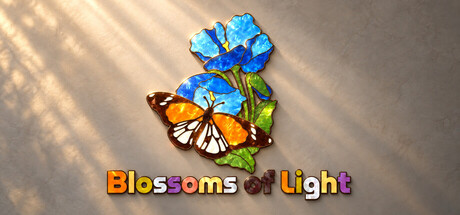


About the game
Entspanne dich bei 60 Blumenpuzzles in 5 Kapiteln. Bewege, drehe und verbinde bunte Teile zu Blumenbildern in Buntglasoptik mit Perlmuttschimmer. Sanfte Musik, optionale Hinweise und automatisches Speichern begleiten dich in deinem eigenen Tempo.
Originalbeschreibung auf Steam
Let flowers bloom, one piece at a time
Blossoms of Light is a relaxing floral jigsaw puzzle game. Move, rotate, and connect colorful pieces to reveal flower artworks with a stained-glass look and soft pearlescent textures. Explore 60 puzzles across 5 chapters, with 12 puzzles in each chapter, and watch your finished creations come to life in gentle light.Start with the tray and find a home for every piece
Pick up pieces from the tray or the table, move and rotate them, study their outlines and colors, then join the parts that fit together. Neighboring pieces gradually combine into larger shapes, turning scattered clues into a clear picture.Enjoy every puzzle at your own pace
There is no rush. Focus on shapes and colors, use a hint when you need one, or turn hints off and quietly finish the entire artwork. You can also view a thumbnail of the completed image or display its silhouette outline whenever you need a reference.Every completion is a little flower exhibition
Gentle music and delicate lighting give each floral puzzle its own satisfying sense of occasion. Put every scattered piece in place and keep a quiet, rewarding moment for yourself.Game Features
- Floral artworks with a stained-glass look and soft pearlescent textures
- 5 chapters and 60 puzzles, with a gradually increasing challenge
- Move, rotate, and connect pieces to gradually assemble the full image
- An organized, scrollable piece tray that keeps the table clear
- A zoomable and pannable puzzle table, plus a completed-image thumbnail and silhouette outline for reference
- Optional hints that offer a little help whenever you get stuck
- Automatically saved puzzle progress, so you can leave and return whenever you like
- Gentle music, responsive lighting, and a celebratory completion display
Controls
- Pick up and place: Left-click a piece to pick it up, move the mouse, then click again to place it. Bring matching pieces close to their correct positions and they will automatically join into a larger group.
- Rotate pieces: Hover over a piece and right-click to rotate it by 90 degrees. You can also right-click at any time while holding a piece.
- Use the tray: Scroll the mouse wheel to browse the pieces in the tray. When returning a piece, you can insert it at a chosen position, reorder it, or swap it with another piece.
- Select multiple pieces: Hold the left mouse button and drag across an empty area of the table to draw a selection box, then move or rotate the selected pieces together.
- Adjust the table view: Scroll the mouse wheel over the table to zoom. Drag with the middle mouse button, or hold Space and drag with the left mouse button, to pan.
- View puzzle references: Use the buttons in the upper-right corner to show a thumbnail of the completed image or the puzzle's silhouette outline.
- Get a hint: If you get stuck, click the hint button or press H for a clue toward the next connection. Hints can also be disabled in Settings.
- Continue an unfinished puzzle: Your progress is saved automatically, so you can return to where you left off.
Informationen zu Demo und Veröffentlichung
In den aktuellen Prüfdaten ist keine Demo bestätigt. Das bedeutet nicht, dass das Spiel nie eine Demo hatte. Prüfe die aktuelle Verfügbarkeit auf der Steam-Seite.
Steam-Demo, Playtest und Early Access: Was ist der Unterschied?
Informationen und Bilder: Steam · Zuletzt geprüft UTC