
InkQuest: Text Game Engine
体験版あり

About the game
InkQuestは、自分だけのテキストアドベンチャー(読んで入力して遊ぶタイプのゲーム)を簡単に作れるツールです。マップ上に部屋を描き、その中にアイテムを配置し、メニューからルールを設定するだけです。プログラミングの知識は不要です。完成したら、誰でも自由にゲームを共有できます。
Steamの原文説明
What is InkQuest?
InkQuest is a program for making text games — the kind you play by reading a description of
where you are and deciding what to do next. Think of a book where the reader chooses what happens.
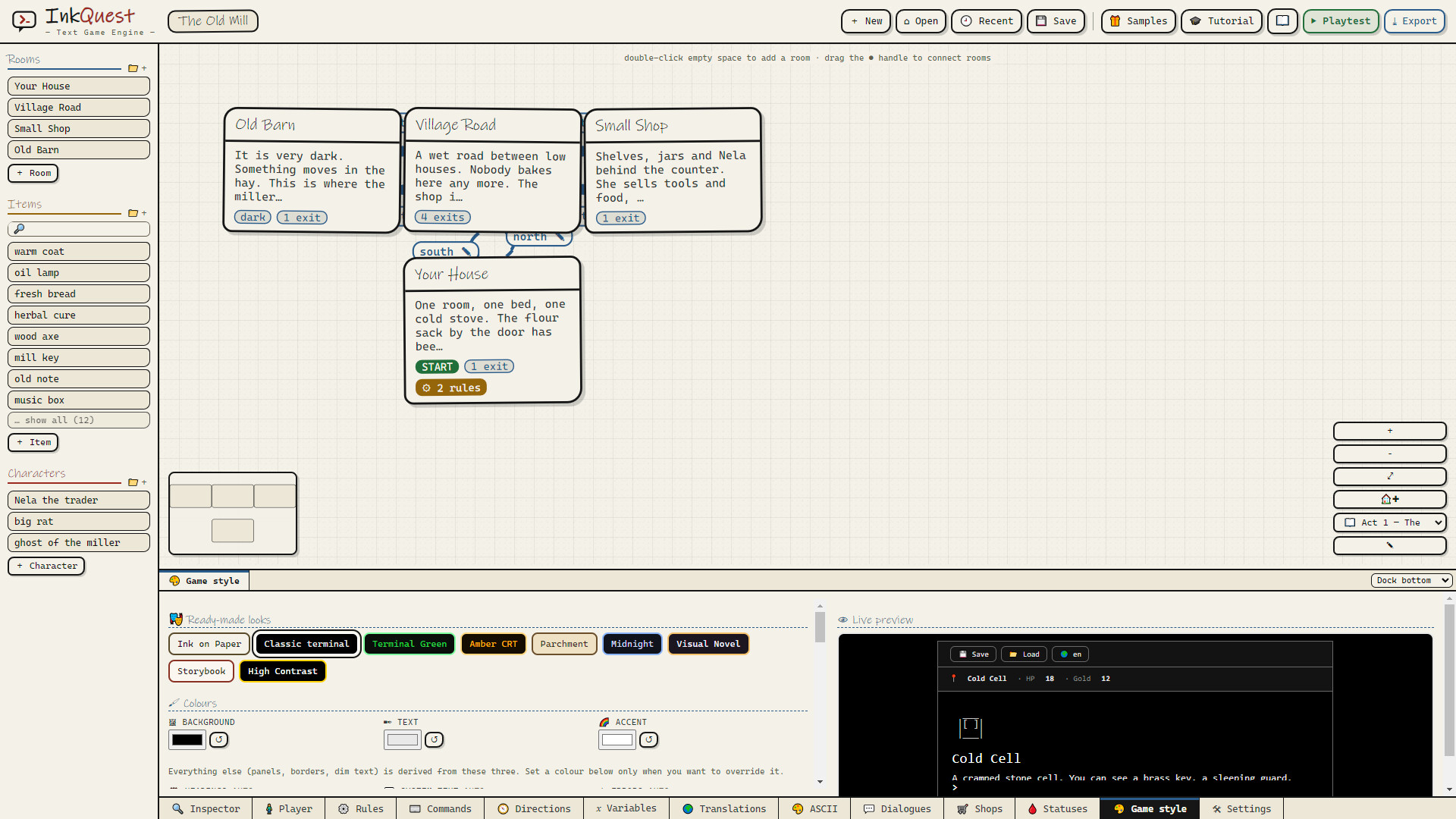
You build the game like this: you draw a map of rooms, you write what the player sees in each one,
and you set the rules by choosing from menus. Then you press one button and you have a finished
game you can share with anyone.
You do not write any code. Not one line.
How it works, in three steps
Draw the world. Double-click to add a room, drag a line to connect it to the next one. Fill the rooms with things, people and doors.
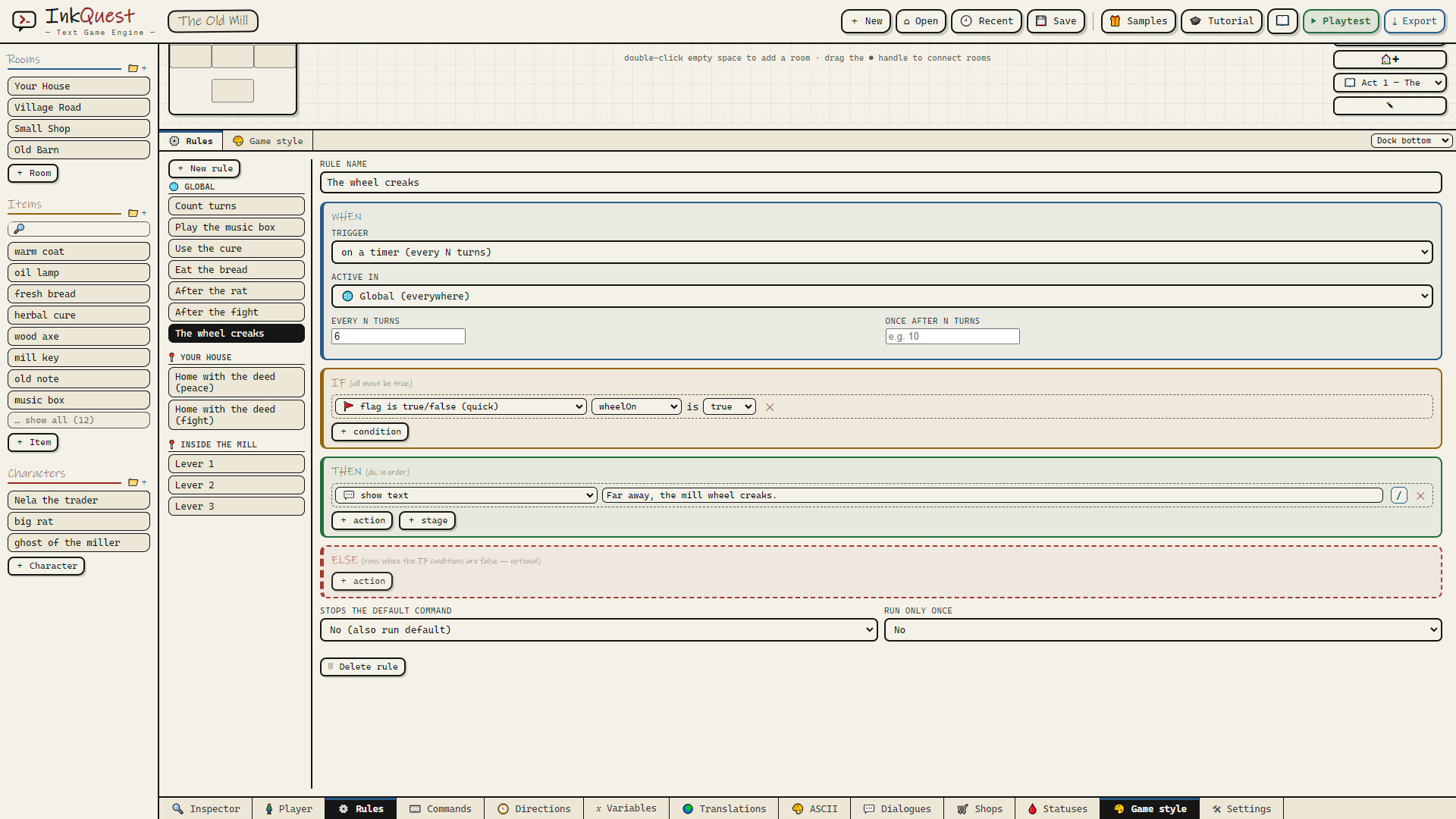
Set the rules. Every rule is one sentence you build from dropdown menus: WHEN the player enters the vault, IF they carry the lamp, THEN show this text. That is the whole programming language.
Press play. Your game runs in the same window you are editing in, so you can try an idea and see it working seconds later.
Typing or clicking — your choice
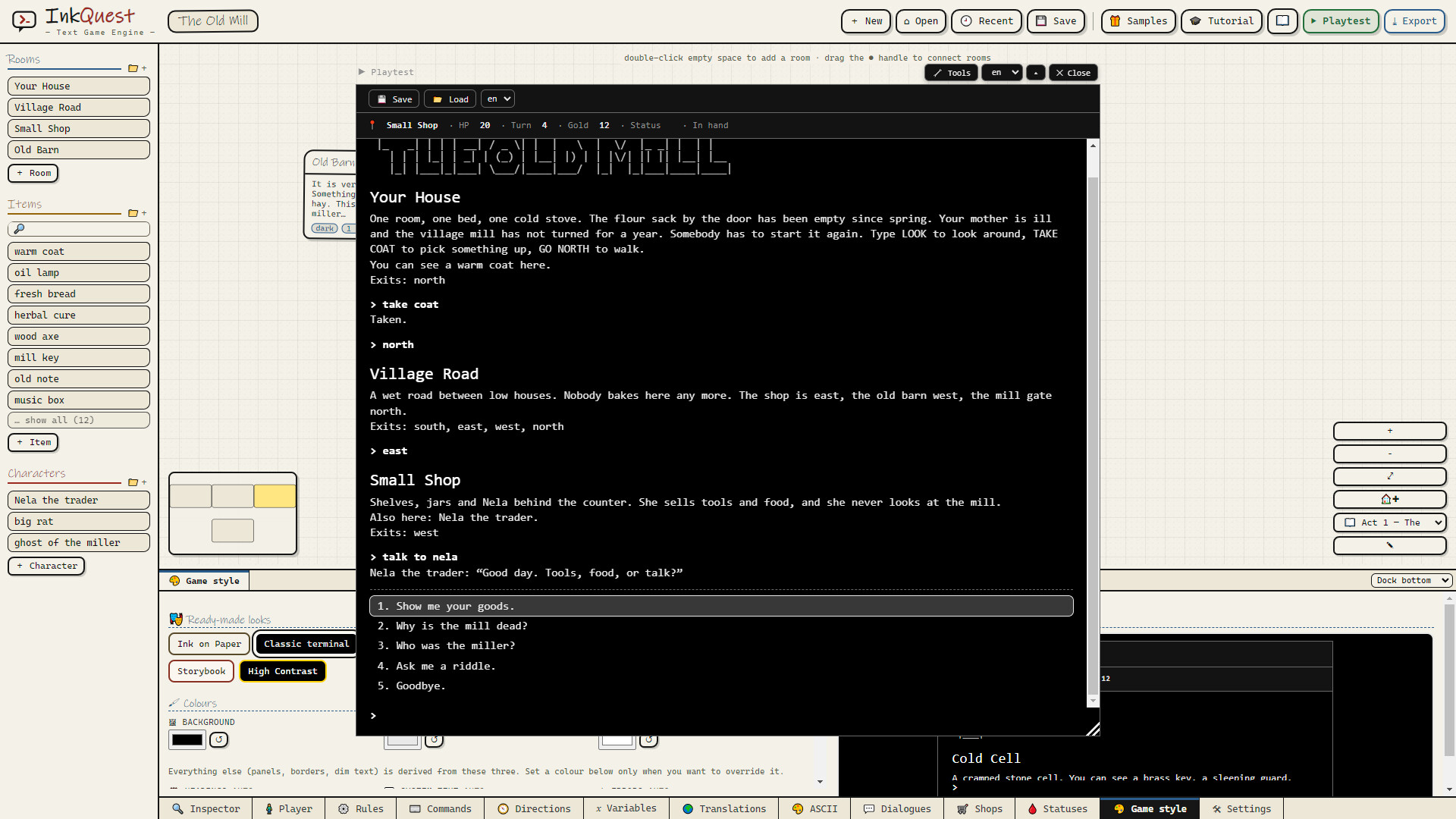
Classic text games ask the player to type (take the lamp, go north). Newer ones show
a list of choices to click. InkQuest does both, and it is one setting — the same project works
either way, so you never have to rebuild your game to change your mind.
Share it with anyone
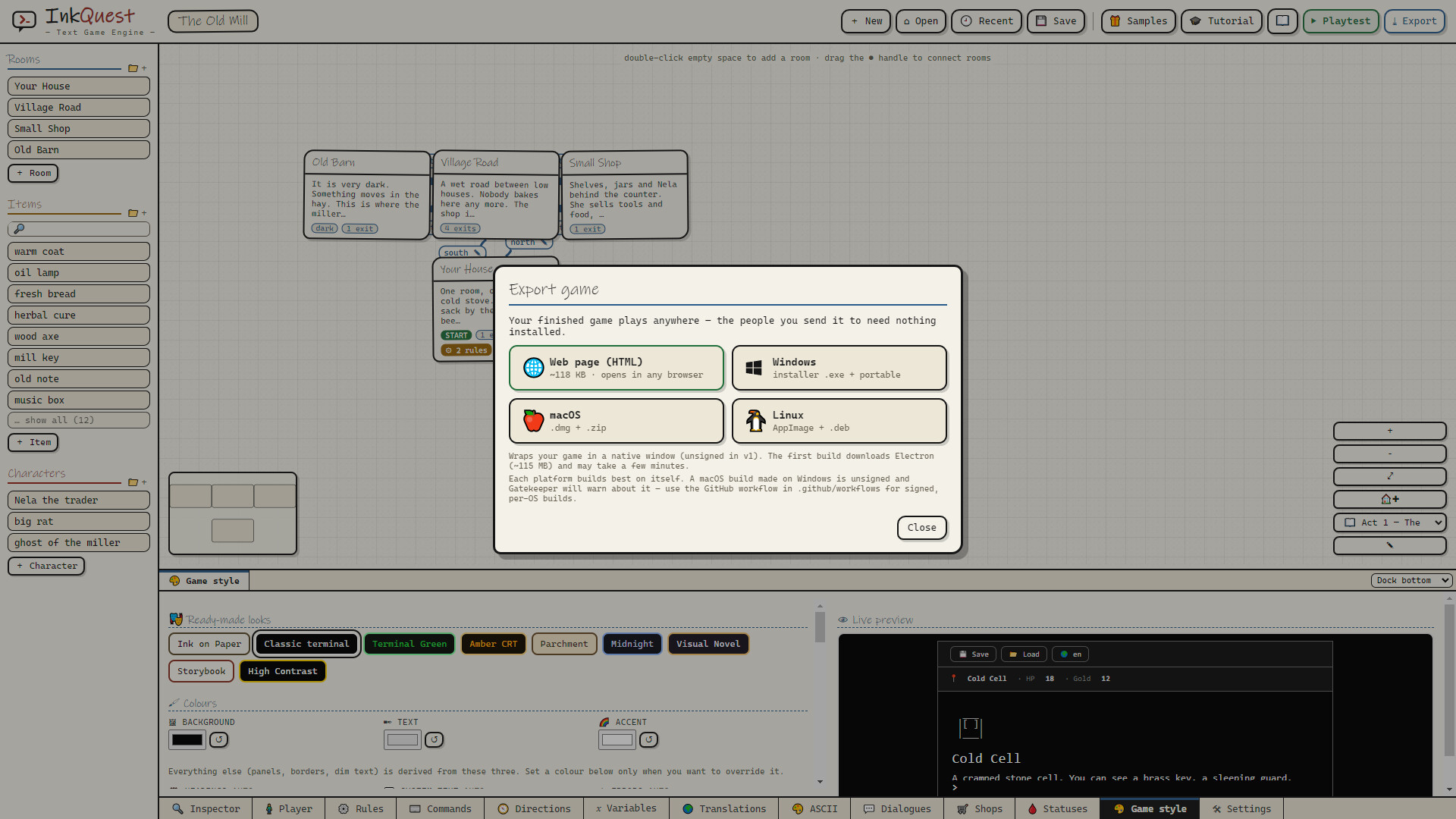
When your game is ready, export it and hand it over. The people you send it to need nothing:
not InkQuest, not an account, not even an internet connection.
Send it to a friend by e-mail or chat — they open it and it plays right there in their browser.
It works offline. No account, no server, nothing to install.
Or build a proper desktop app instead — Windows, macOS and Linux, from the same project.
Your game is yours. No watermark, no splash screen, no "made with" credit forced on you, no
royalties and no revenue share.
Typos don't ruin the game
The oldest frustration in text games is typing tak lmp and being told "I don't understand."
InkQuest works out what the player meant — misspellings, wrong endings, words that only sound
right — and asks a friendly "did you mean the lamp?" when it genuinely cannot tell. Players stay
in your story instead of fighting the keyboard.
What you can put in your game
Rooms, objects and characters — containers, locked doors, things to wear and carry
Rules — WHEN something happens, IF conditions are met, THEN do this. Built from menus, in plain words
Conversations — talk to characters through branching dialogue, with choices that appear only when they should
Scenes — cutscenes and openings that play like a story before the game hands over control
Fights, stats and status effects — if your story needs them
Shops and money — any number you invent can be a currency
Your own commands — teach the game pray, bribe or dig
ASCII art — draw it in the app, or turn a picture into text art
Make it look like yours
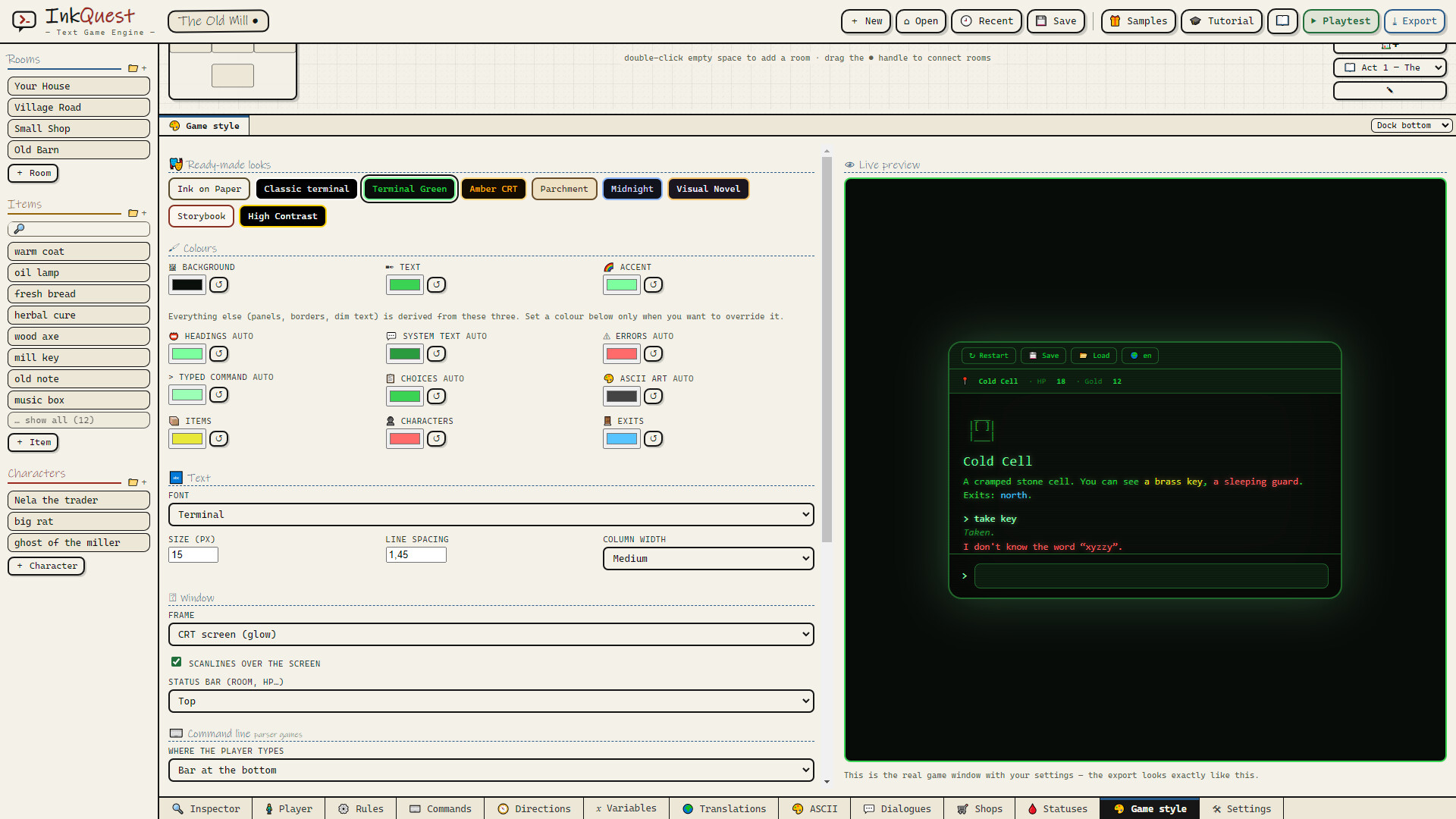
Choose the colours, the frame around the window and the typeface, or start from a ready-made look:
old paper, green terminal, amber CRT with scanlines. What you see in the preview is exactly what
your players will see — it is the real game running, not a picture of it.
Write in any language
Every piece of text in your game is translatable. Fill in one column per language and your game
speaks all of them; the game can ask players which they prefer. The editor itself is available in
English and Polish.
Made to learn in one evening
A guided tour points at the real buttons while it explains them, the full manual is one key away
(F1), and two complete example games are included — open them, play them, take them apart.
体験版と発売について
前回の確認時にSteamの体験版が見つかりました。ダウンロードする前に、お住まいの地域で引き続き利用できるかSteamで確認してください。
情報・画像:Steam · 最終確認 UTC