
FlashTrainer
発売済み


About the game
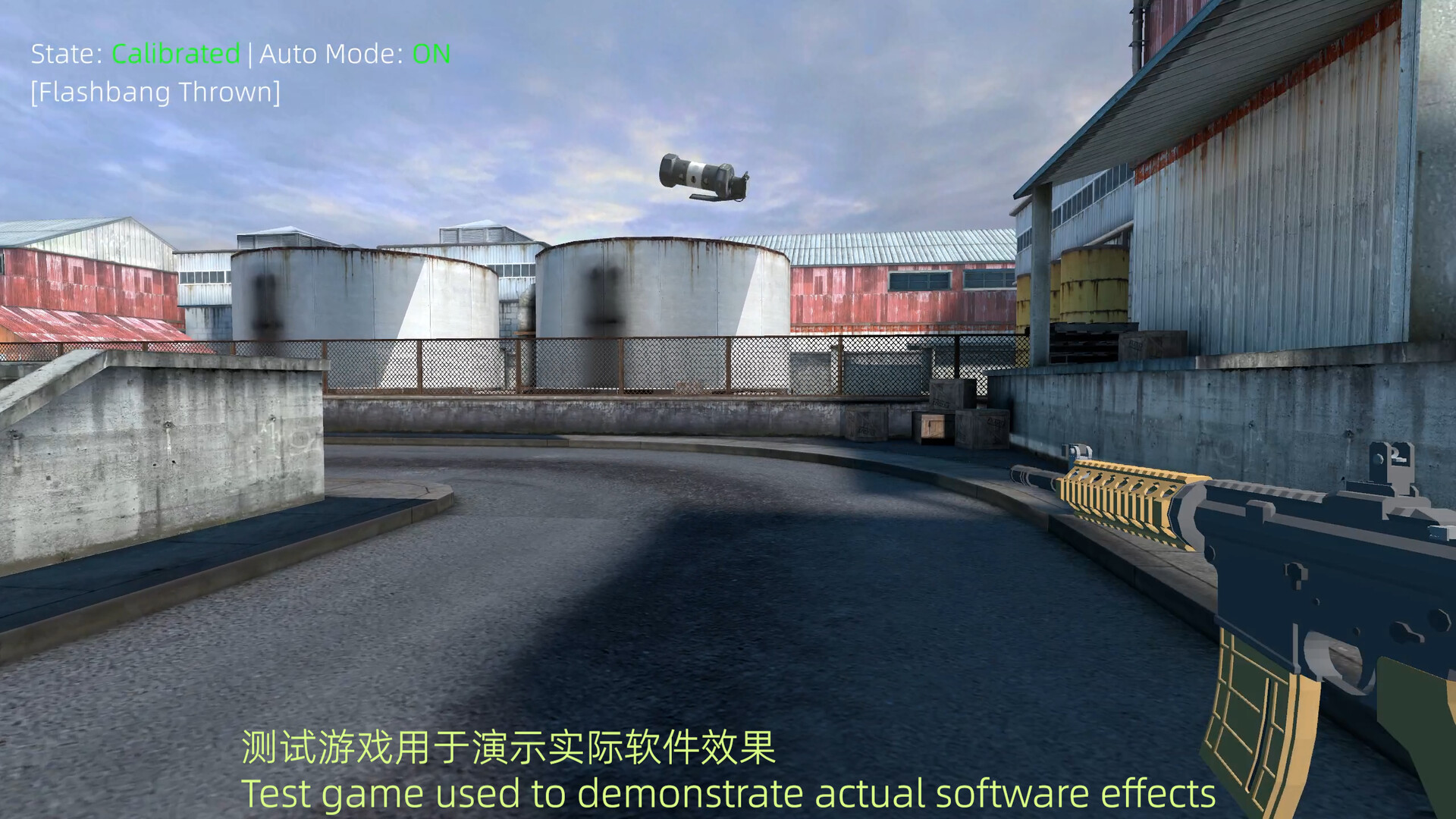
FlashTrainerは、FPSにおけるフラッシュ対策の筋肉記憶と反応速度を鍛えるために設計された単体ユーティリティです。透明な最前面ウィンドウを画面上に重ねることで、飛んでくるフラッシュバンとその爆発をシミュレートします。現在、ボーダーレスモードまたはウィンドウモードで動作する主要なFPSゲームのほとんどに対応しています。
Steamの原文説明
1. Simulation & Parameters
2 Flash Simple Simulation — Military Flashbang, Spherical Flash
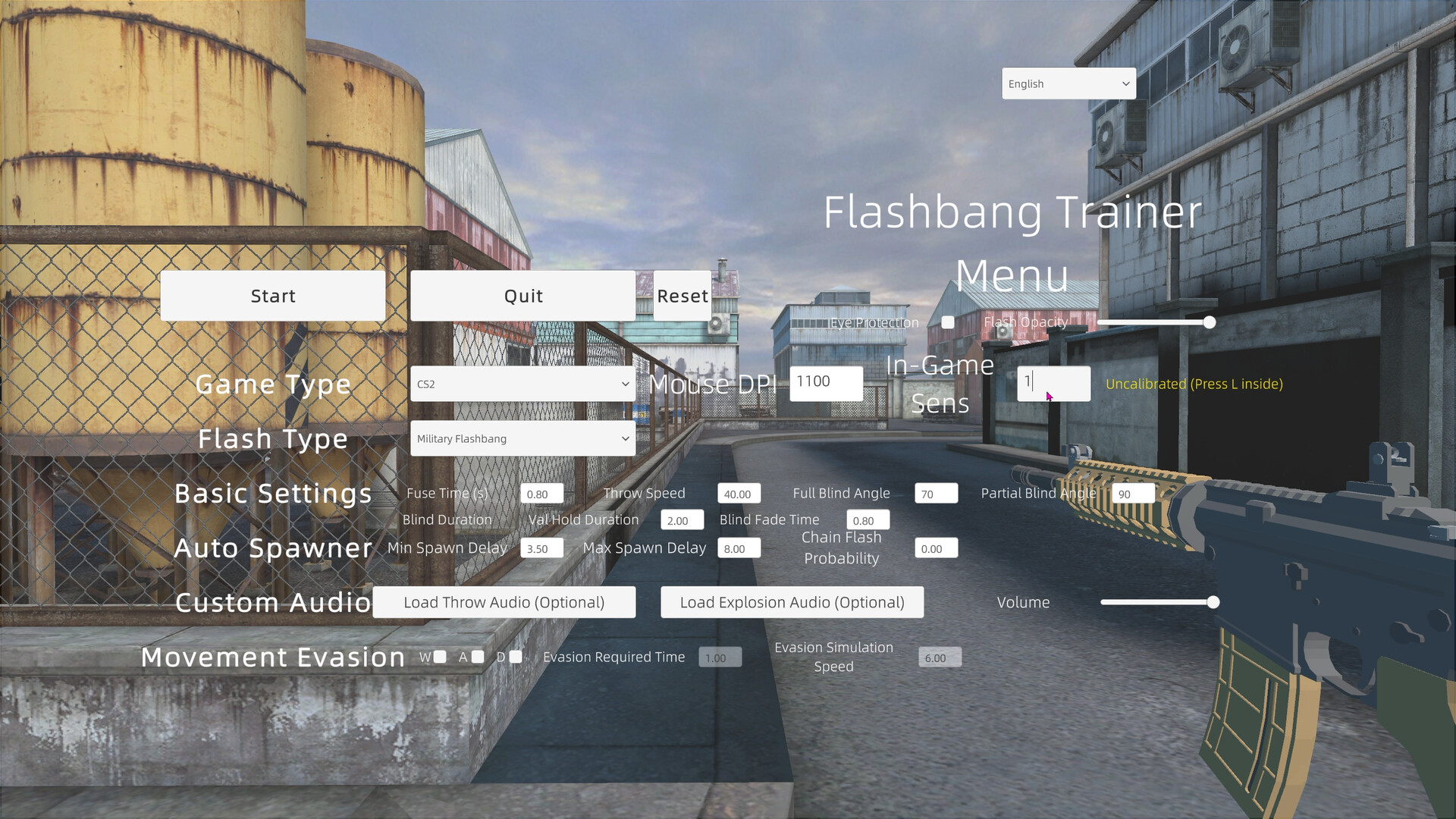
Customizable Parameters — Fuse time (0.2s~3.0s), Throw speed (10~100), Full blind angle (0°~179°), Partial blind angle (1°~180°)
Blind & Recovery Control — Blind hold duration (0.1s~10.0s), Blind fade duration (0.1s~5.0s), Dynamic interpolation angle recovery
2. Spawner & Training Modes
2 Trigger Modes — Manual spawner hotkey (\ key), Auto-loop spawner (Home key) (Switch seamlessly anytime)
Spawn Delay Range — Min spawn delay (0.1s~60.0s), Max spawn delay (0.1s~60.0s) (With value lock validation)
Chain Flash Mechanism — Chain flash probability slider (0%~100%, Default 0%)
One-Key Menu Return — Press END to instantly exit training mode and return to the config menu
3. Evasion & Response
Directional Movement Evasion — Supports W, A, D key movement evasion simulation
Evasion Tuning — Evasion required time (0.1s~3.0s), Simulation speed (0~30)
4. Visual & Eye Care
Opacity Slider — Flash opacity adjustment (0%~100% with real-time percentage display)
Eye Protection Mode — Toggle dark flash screen to reduce eye strain during long practice sessions
Transparent Overlay — Native borderless transparent rendering via Windows DWM
5. Input & Multi-Monitor Calibration
RawInput Engine — Captures physical mouse delta via background thread with zero latency and zero simulated inputs
360° Calibration — Press L in-game for instant viewport calibration mapped directly to your DPI and in-game sensitivity
Auto Profile Binding — Automatically saves distinct calibration profiles for different games, DPIs, and sensitivities
Multi-Monitor Support — Enumerates display setups and lets you assign the Overlay to any target monitor
6. Custom Audio Engine
Custom Audio Import — Load local throw and explosion sound files (.wav / .mp3 / .ogg, Optional)
Smart Sound Trimming — Automatically trims explosion audio down to 0.5s in memory for clean, non-overlapping bursts
Corrupted Path Self-Healing — Automatically clears missing file paths and reverts safely to defaults
Master Volume Control — Volume slider (0%~100%)
7. Smart Window Management
Dual-State Transition — Menu mode automatically un-sets topmost status (allowing easy alt-tabbing or clicking other apps); Training mode switches to full overlay topmost rendering with input pass-through
Native UAC Manifest — Requests admin privileges clean at launch via app.manifest, avoiding double Splash Screen reloads and resolving in-game input blocking
8. Preferences & Profiles
Save/Load Configurations — Automatically saves DPI, sensitivity, game presets, custom audio, and calibration profiles (Supports Steam Cloud)
One-Key Reset — Quickly restore default parameter configurations
Multi-Language — Simplified Chinese and English (Toggle anytime from launch or menu screens)
Clean Exit — Safe in-app quit button ensures RawInput hooks detach cleanly from the system
9. Notes & Disclaimer
Borderless Windowed or Windowed Fullscreen mode is required for target games
Always use the in-app "Quit" button to ensure RawInput hooks detach safely
This software is an independent training tool for reaction and muscle memory, and does not replicate or replace specific mechanics of third-party games
Utilizes native Windows RawInput passive listening and external Overlay rendering—free of memory access, process injection, or input automation
Configuration and calibration files can be saved to Steam Cloud
体験版と発売について
現在の確認データでは体験版の存在を確認できていません。過去にも体験版がなかったという意味ではありません。最新の提供状況はSteamのゲームページで確認してください。
情報・画像:Steam · 最終確認 UTC