
Loading Dock Simulator
体験版あり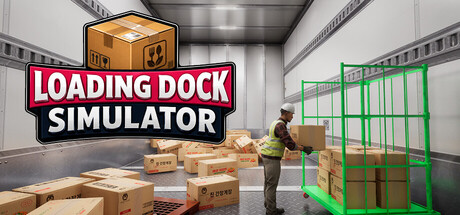


About the game
配送センターの搬入口を舞台にした一人称視点の物流シミュレーション。押し寄せる荷物を地域別にロールボックスへ仕分け、個数が合わなければPDAを使って置き間違えた箱を探し出そう。ソロまたは最大4人のオンライン協力プレイで働き、スタッフを雇って搬入口を成長させよう。
Steamの原文説明

Every shift starts at the terminal. Look over the jobs on offer, pick one, and once you sign, you're seeing it through.

A truck backs into the inbound dock and the boxes start piling up. That's your day, right there.

Load up a pallet, grab the jack and pull. The more you haul per trip, the sooner you clock out.

Split the boxes into roll containers. Keep each container set aside for its own area, and you'll never wonder where a box goes.

At the sorting area, you read the label and send each box where it belongs. Mix one up and it'll come back to bite you as a defect.

If the count's off, a wrong box is hiding somewhere. Pull up the inventory on your PDA, dig it out of the pile and swap in the right one.

The loading bay only opens once every area is done. Wheel each full roll container to its dock and get it on the truck.

Put your earnings into skills. Work faster, carry more, and even toss boxes straight into the roll containers.

You'll start out pulling a manual jack. Save up, and you can trade it in for an electric one.

Pour the profits back into the building. Add docks, expand the facility and grow a cramped warehouse into a full-scale distribution center.

When it's too much to handle alone, hire some help. Put them on the distribution, loading or transport crew and they'll get to work on their own. Just remember, payday comes every day.

Clock in with up to three friends. Split the work however you like: one on distribution, one on loading, one digging through the pile for that one wrong box.
The trucks keep coming and the boxes never stop. Make mistakes, track them down, load it all up again, and before you know it, that little warehouse has become a real operation. Time to clock in.

体験版と発売について
前回の確認時にSteamの体験版が見つかりました。ダウンロードする前に、お住まいの地域で引き続き利用できるかSteamで確認してください。
情報・画像:Steam · 最終確認 UTC